
Business Income & Expense Tracker
Business spreadsheet · Instant digital download
Track your business finances in one place.
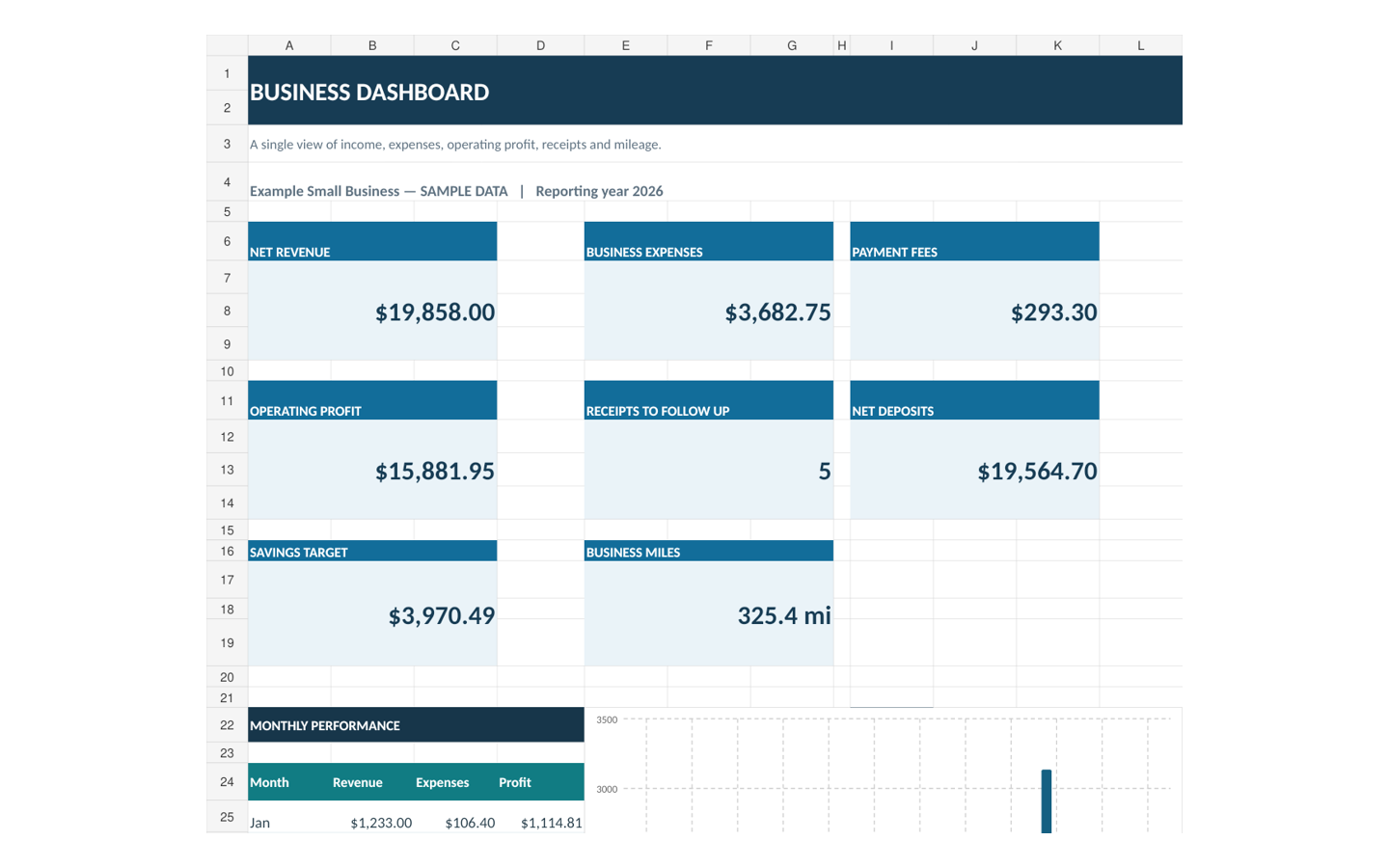
Keep income, expenses, receipts, and business mileage organized. Enter transactions once, then see your monthly results, annual totals, and operating profit automatically.
Inside the workbook
See exactly what’s included.
Browse the sample workbook’s tools and reports. Select any preview to view it larger.
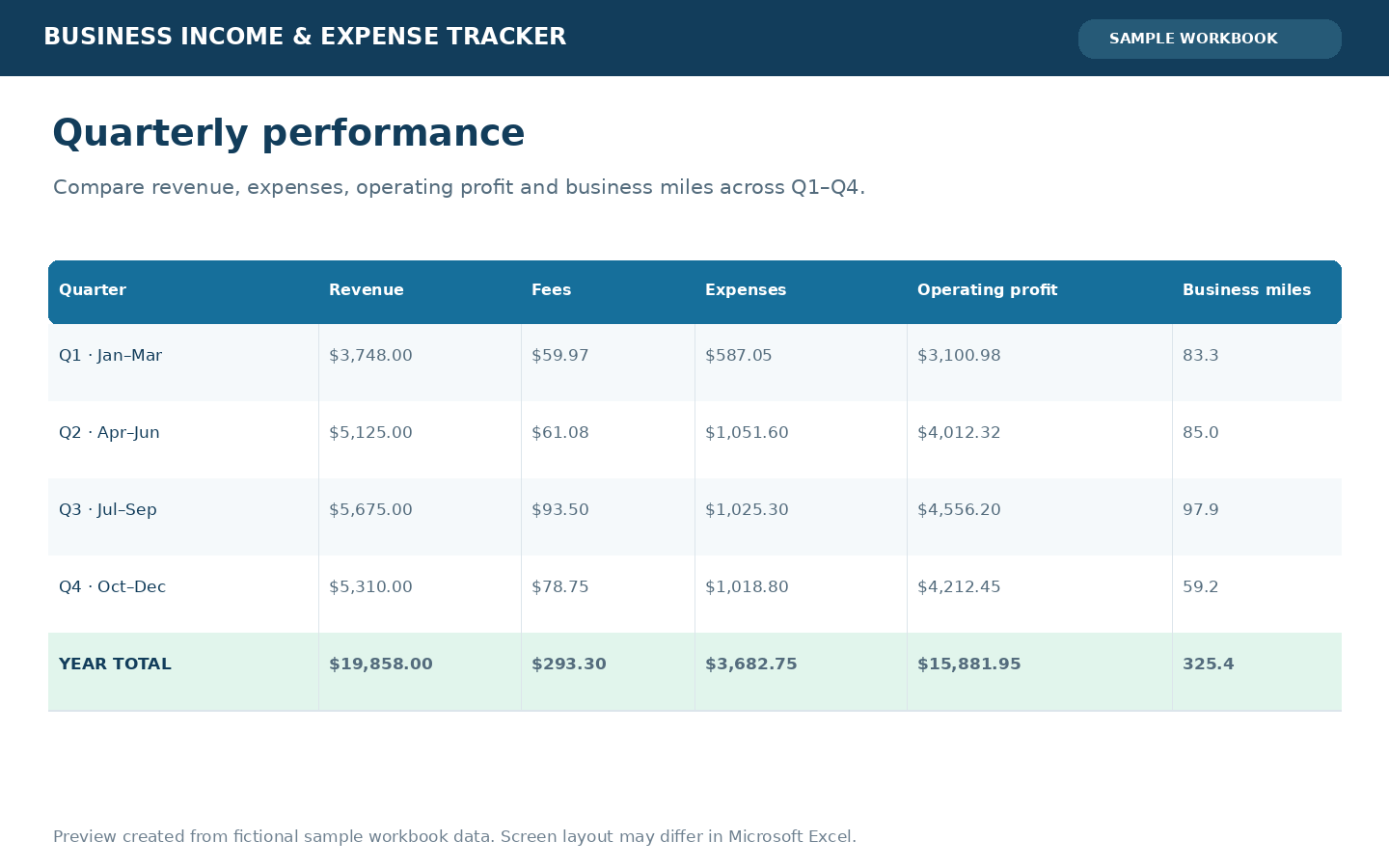
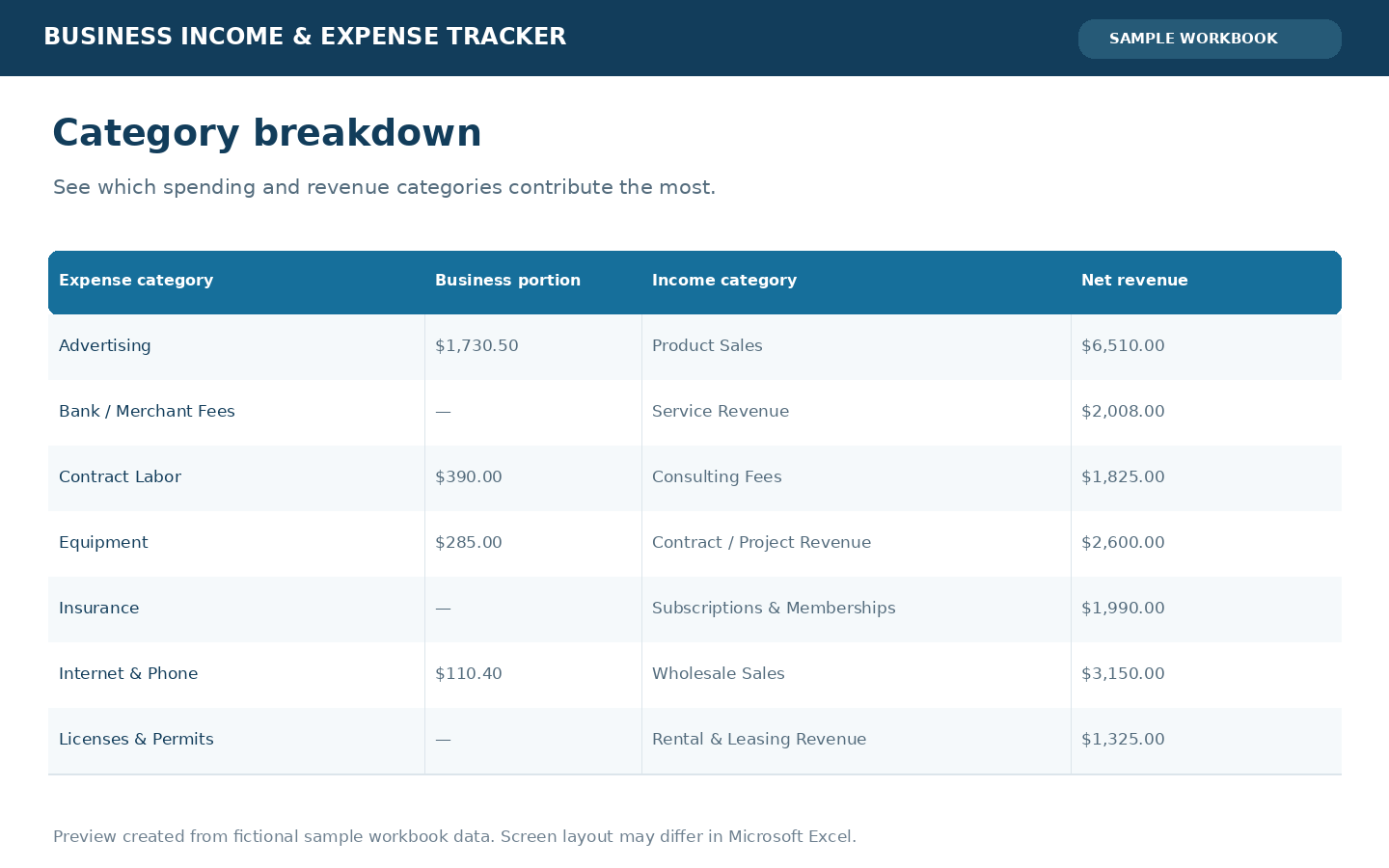
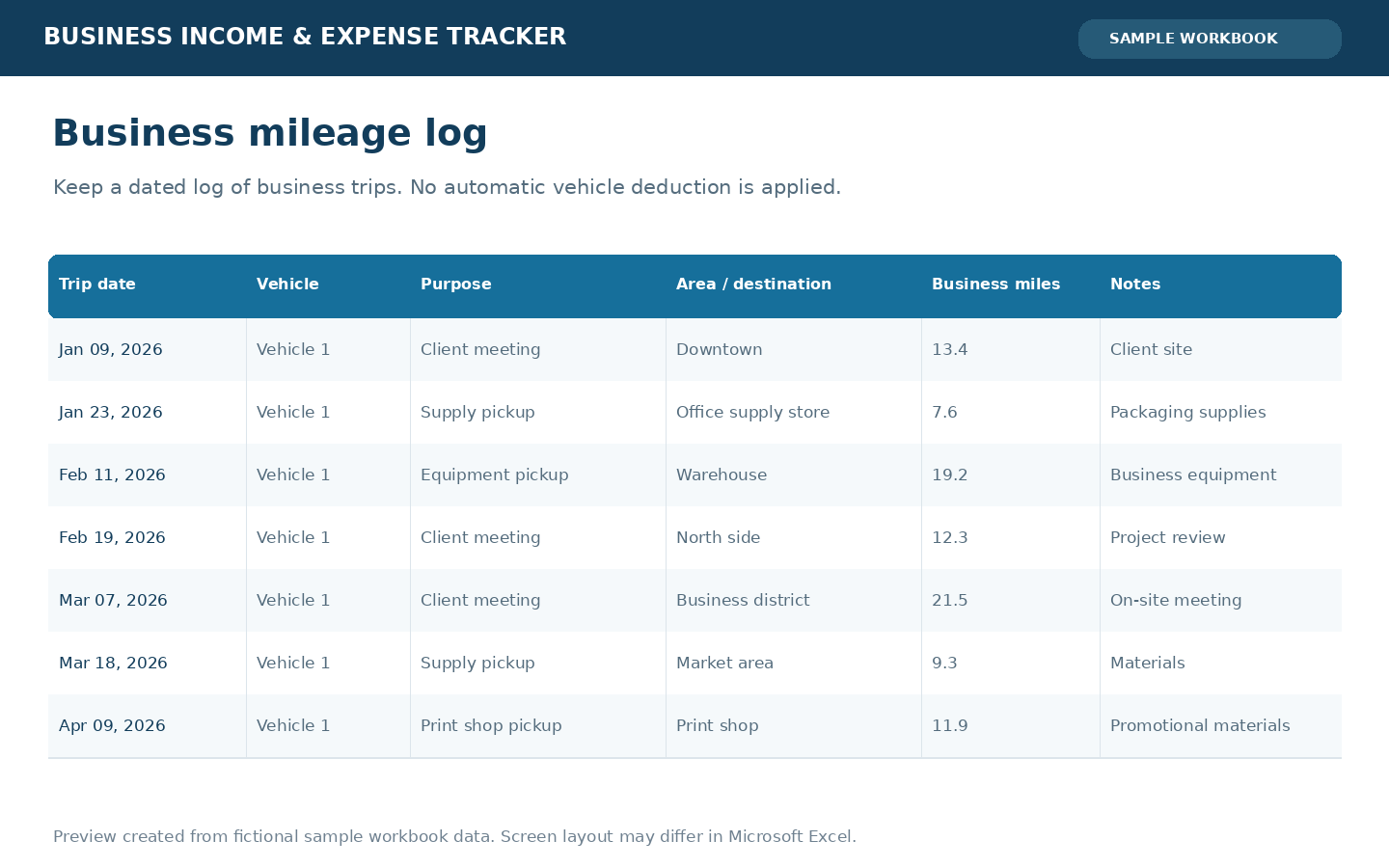
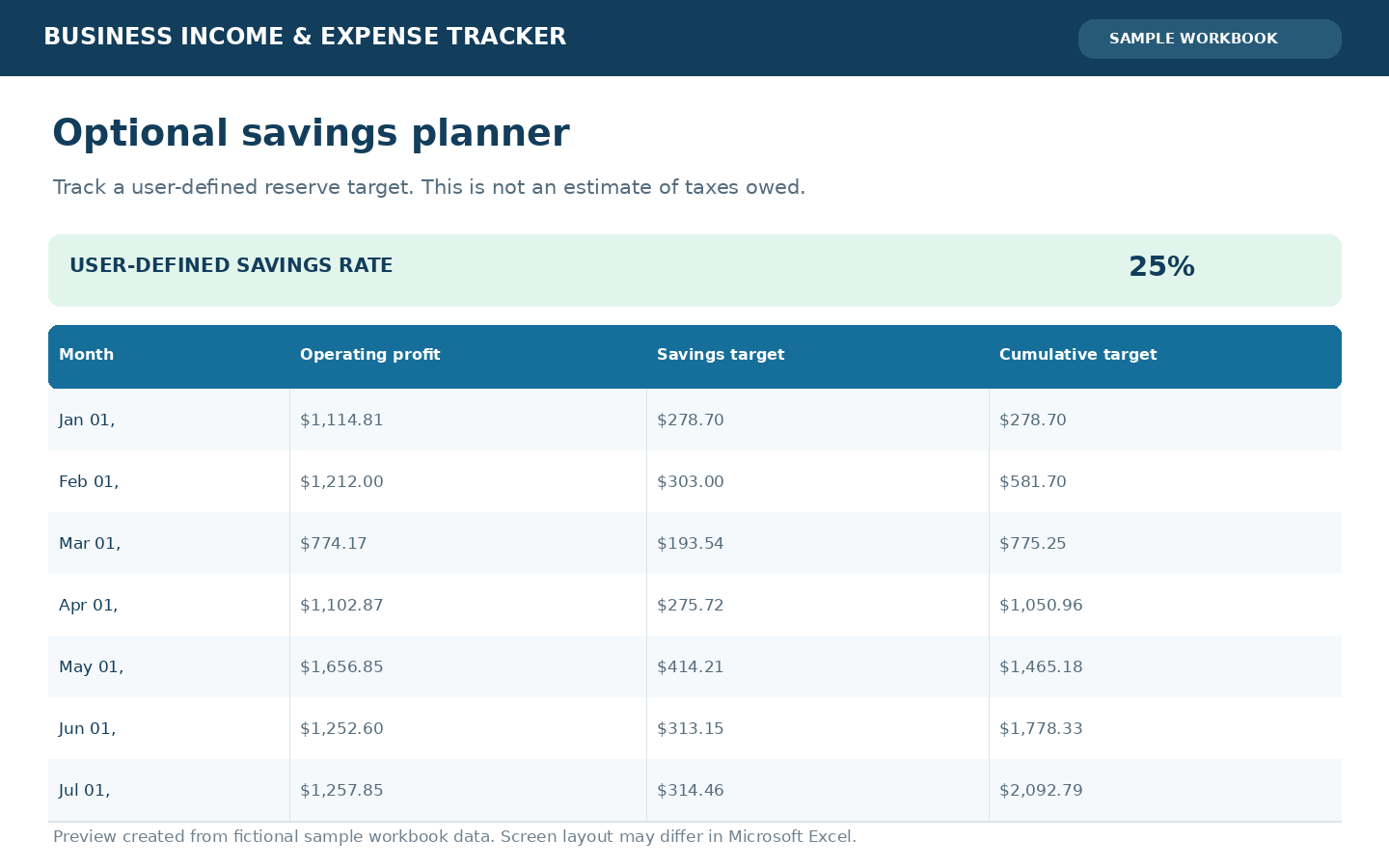
Preview images use fictional figures. Some screenshots are simplified for readability; the spreadsheet interface may look different.
Built for everyday business
A clearer way to manage your numbers.
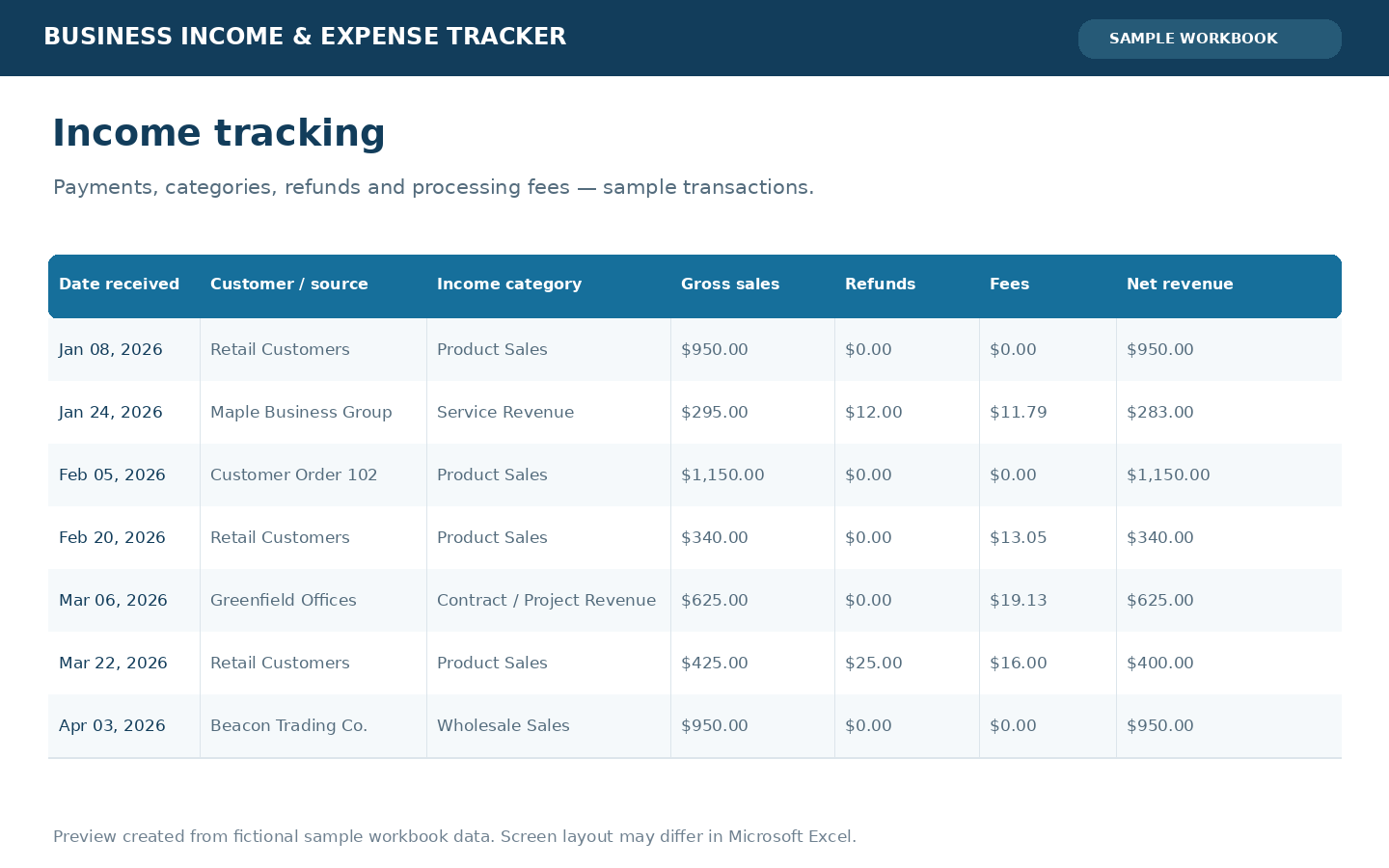
Income tracking
Record money received, refunds, and payment fees in one place.
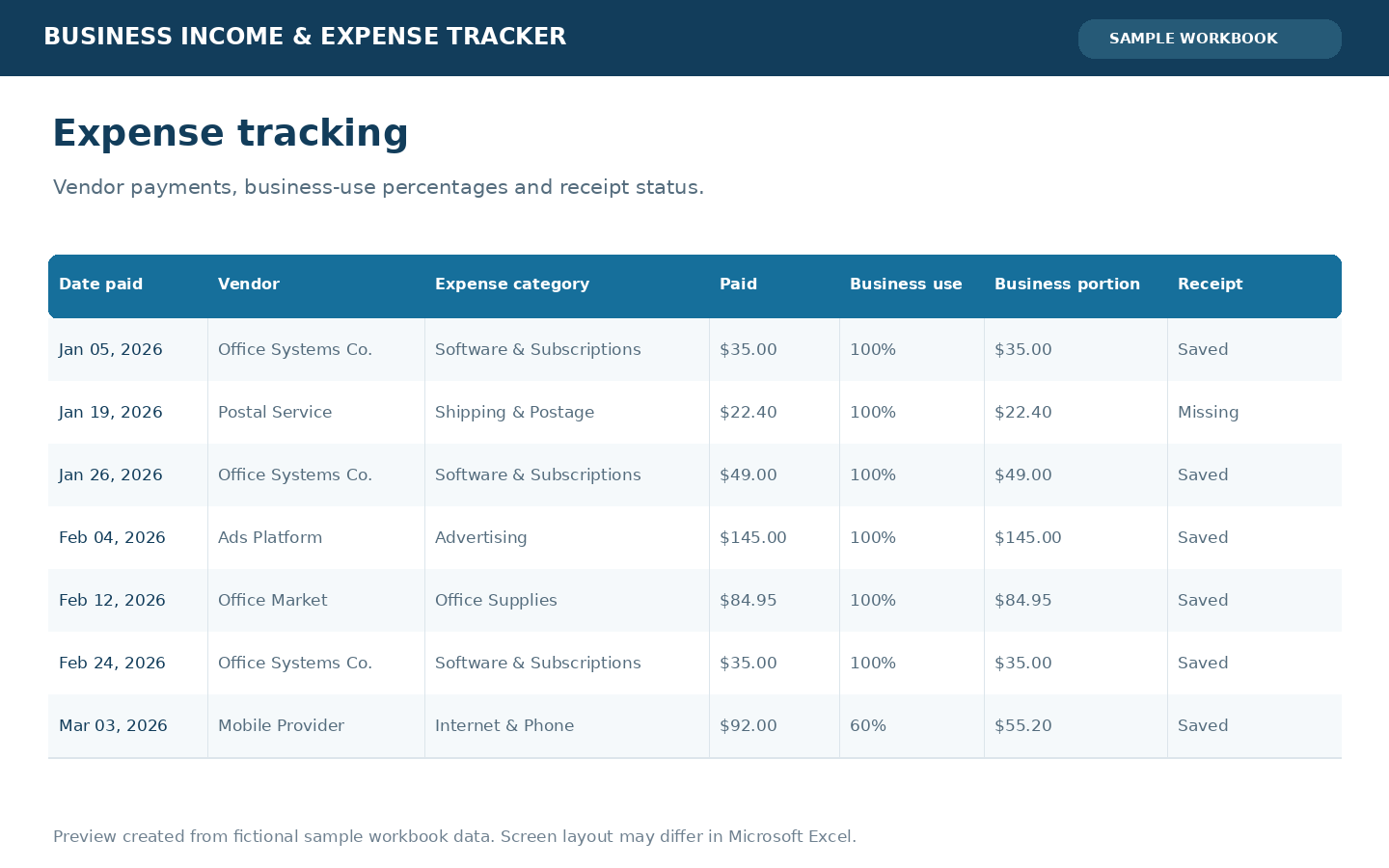
Expense tracking
Organize purchases by category and check which receipts need attention.
Automatic summaries
Review monthly and quarterly trends, expenses, and operating profit.
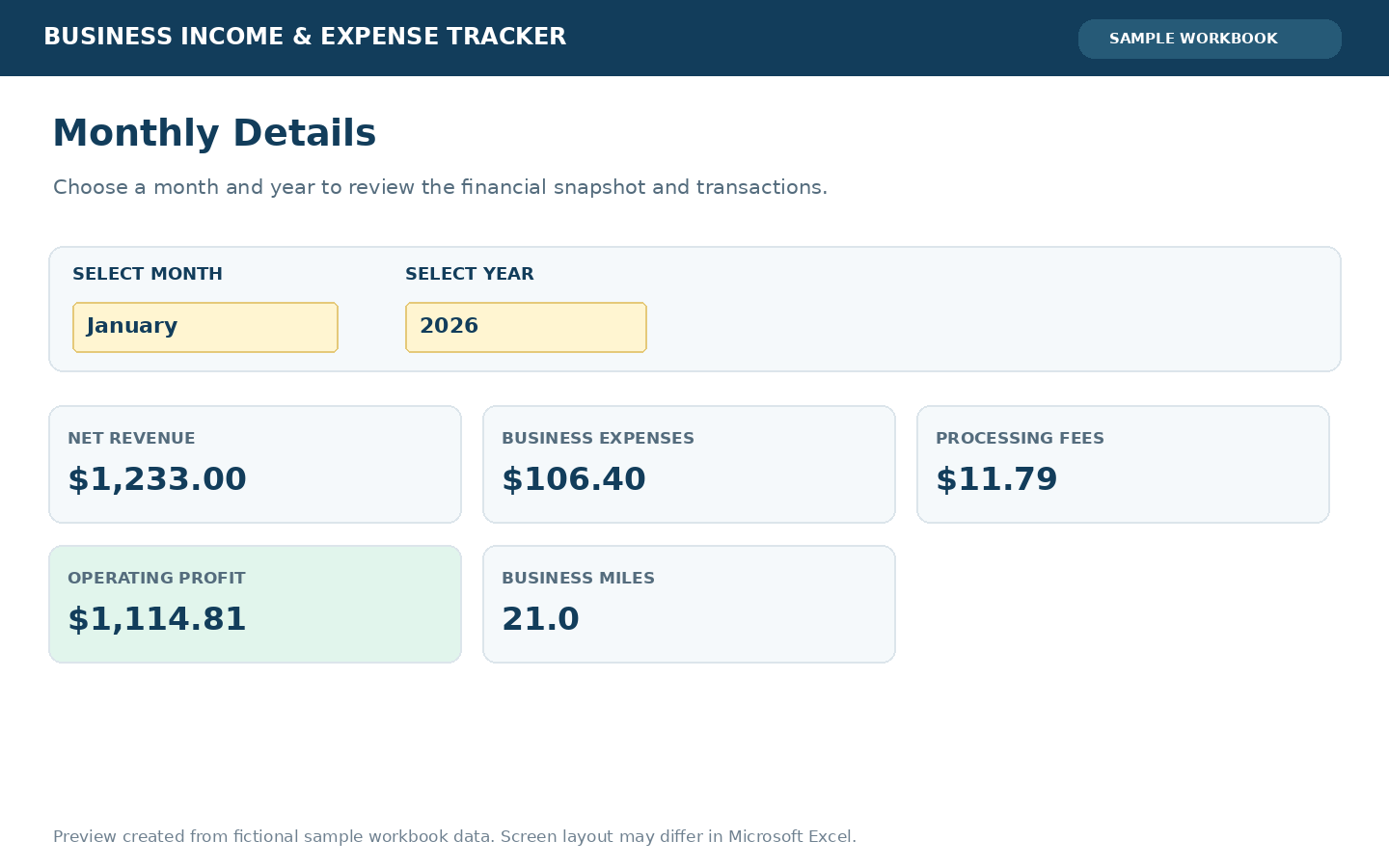
Reporting year selector
Change the year to see connected annual reports for that period.
Mileage and categories
Log basic business miles and customize category options.
Optional savings goal
Track a savings target based on a percentage you choose.
Included in your download
The complete package.
- Main Business Income & Expense Tracker (.xlsx) — blank, ready for your business records
- Sample workbook (.xlsx) — filled with fictional entries to show how the tracker works
- PDF quick-start guide
- README with setup information
The main tracker supports up to 1,000 income, 1,000 expense, and 1,000 mileage entries. The sample is a reference, not a second tracker you need to maintain. Make a fresh copy of the main tracker for each year.
Easy to get started
Three simple steps.
Open the file
Download your package and open the blank Excel workbook.
Add your records
Enter transaction dates, payments, expenses, and optional mileage.
See your totals
Use the dashboard and reports to review your results.
Why is there a sample workbook?
The blank tracker is the file you use for your business. The sample workbook contains fictional entries so you can see how the sheets and reports work. You do not need to maintain both.
Which spreadsheet software can I use?
Designed for Microsoft Excel (.xlsx). Compatibility with other spreadsheet programs has not been fully verified.
Will my totals update automatically?
Yes. Enter the required transaction dates and amounts, and connected financial reports recalculate.
Can I change the reporting year?
Yes. The Monthly Details year selector controls the connected annual reports.
Does this calculate taxes owed?
No. The optional savings planner is a voluntary goal, not a tax calculation or tax advice.
Is this a subscription?
No. It’s a one-time digital purchase. No physical item is shipped.
Ready to get organized?
One blank tracker for your business, a filled-in example to learn from, and a quick-start guide.
For business recordkeeping and general organization. Not a substitute for accounting, legal, or tax advice. All example transactions are fictional.