
Invoice & Client Payment Tracker
Excel invoice spreadsheet · Instant digital download
Keep every invoice and payment in clear view.
Manage client invoices, track partial payments, and see who still owes you. One organized Excel workbook connects your client list, invoice details, payments, and summaries.
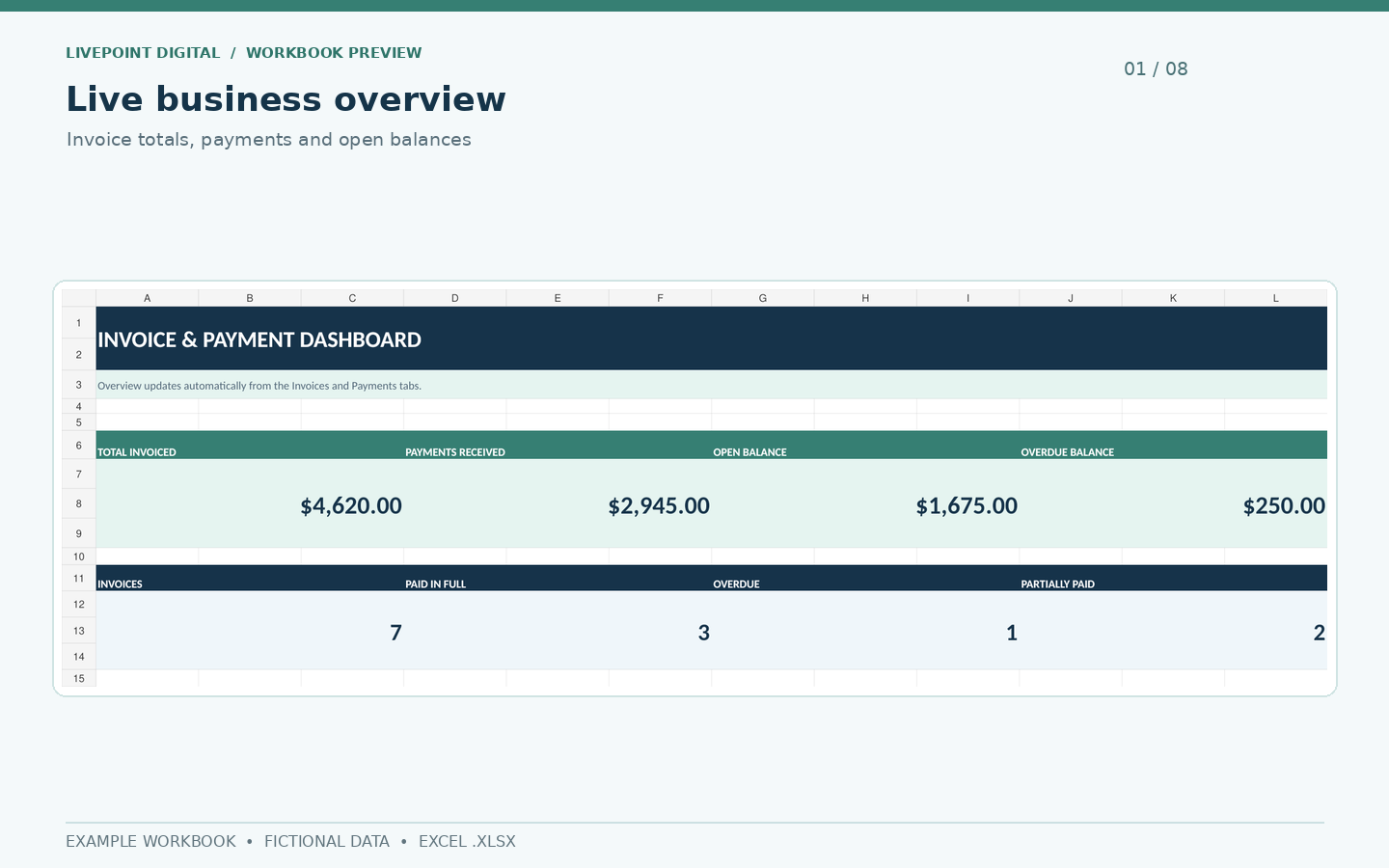
Inside the workbook
See exactly what’s included.
Browse previews from the separate fictional example workbook. Select any image to view it larger.
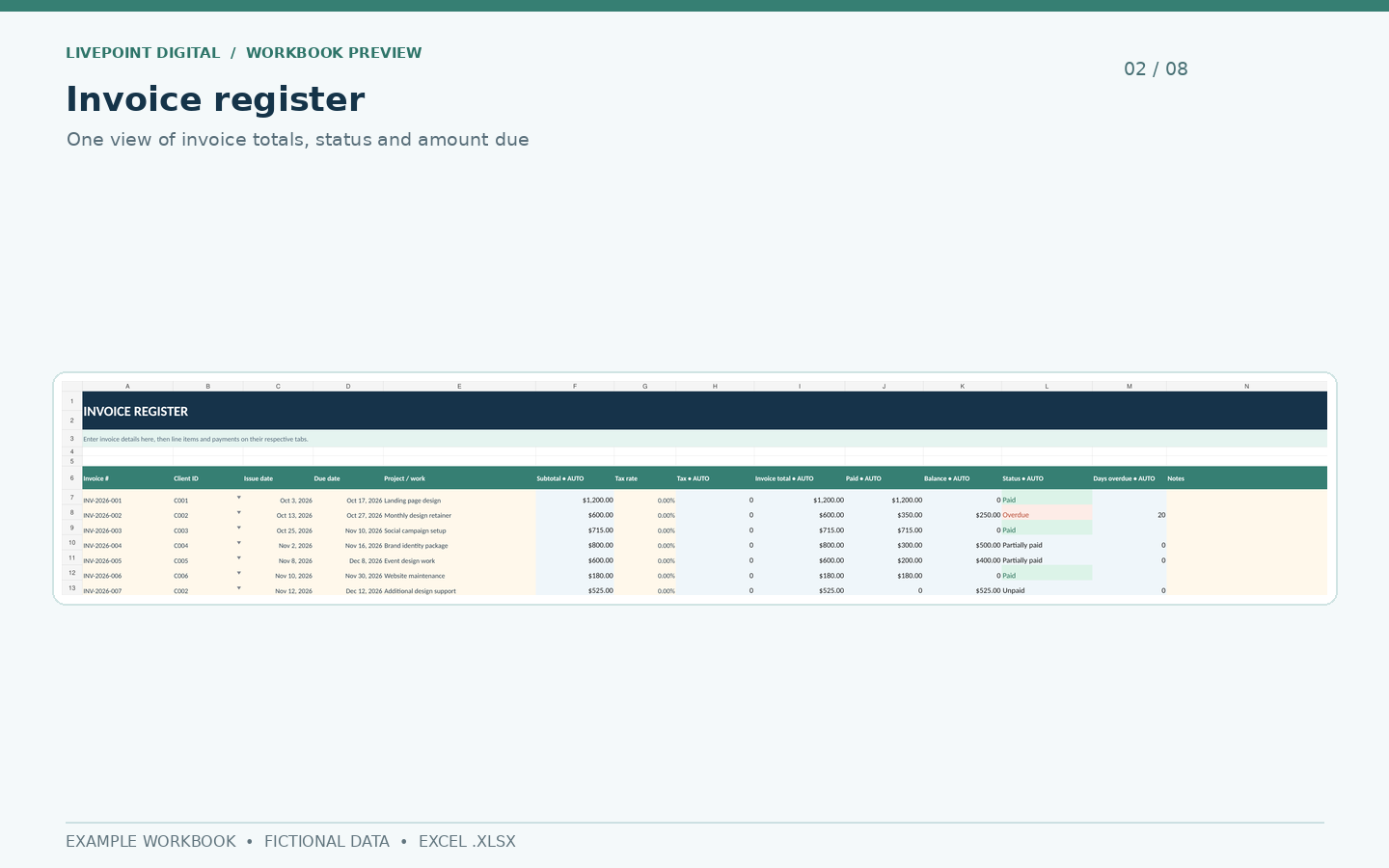
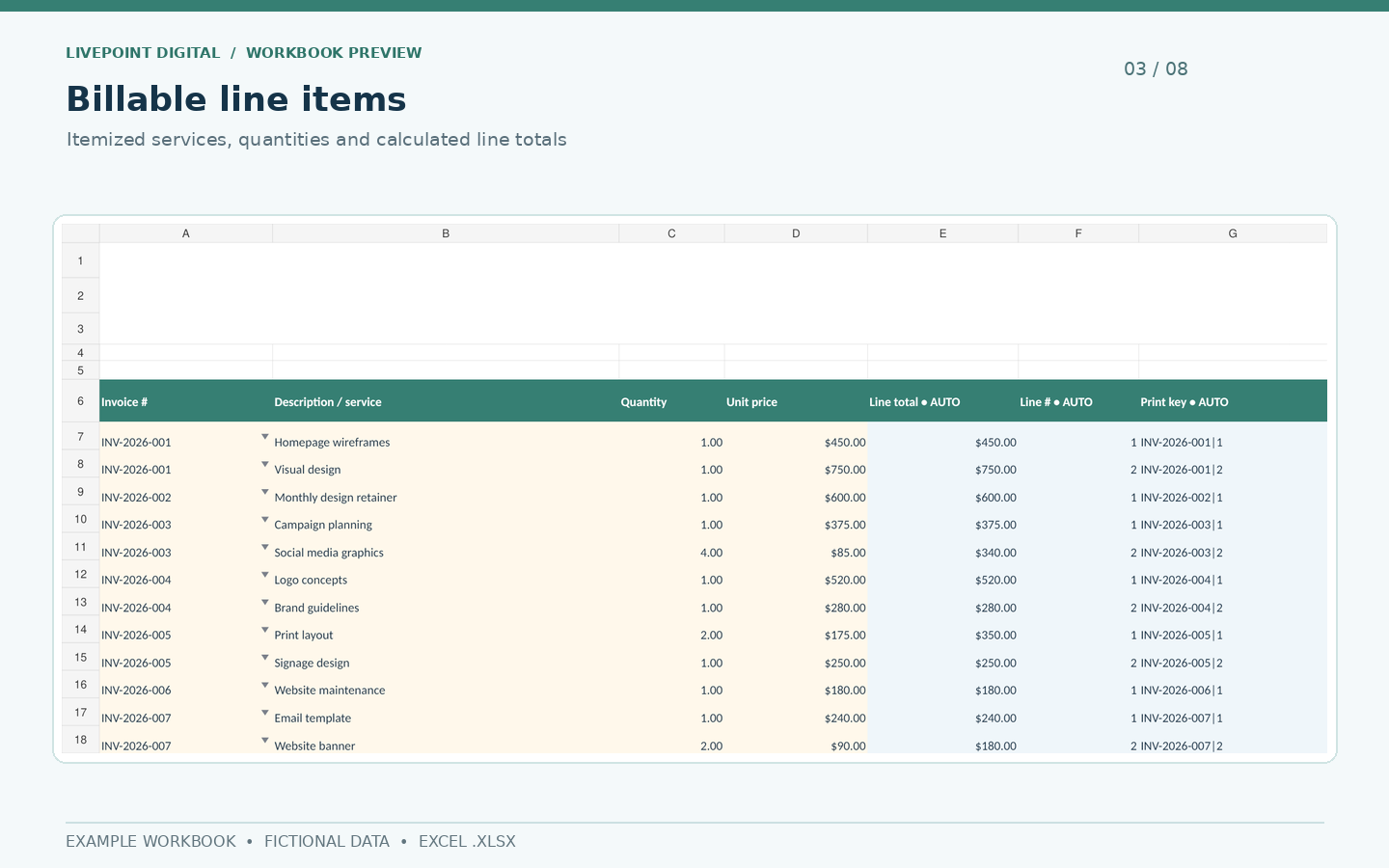
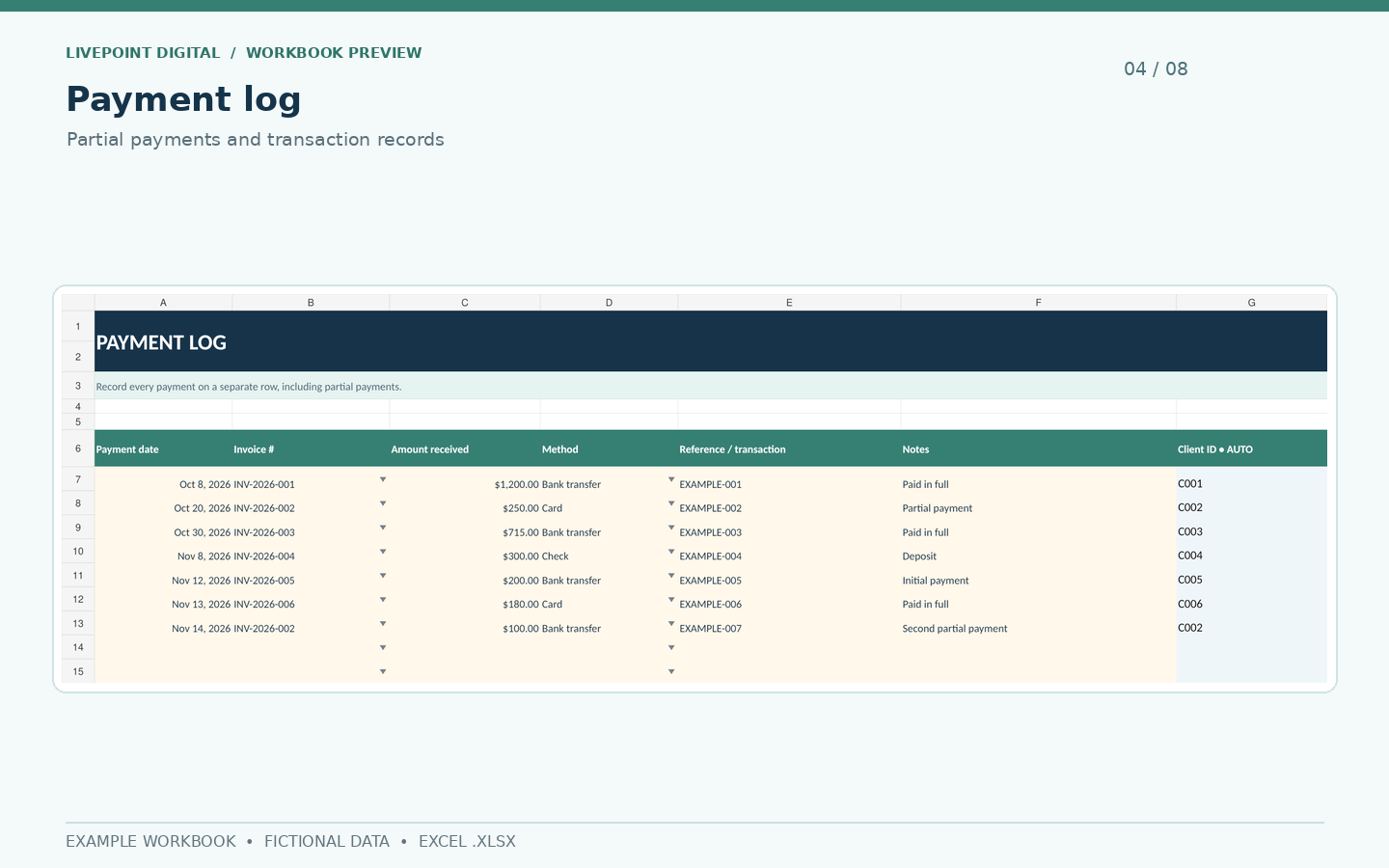
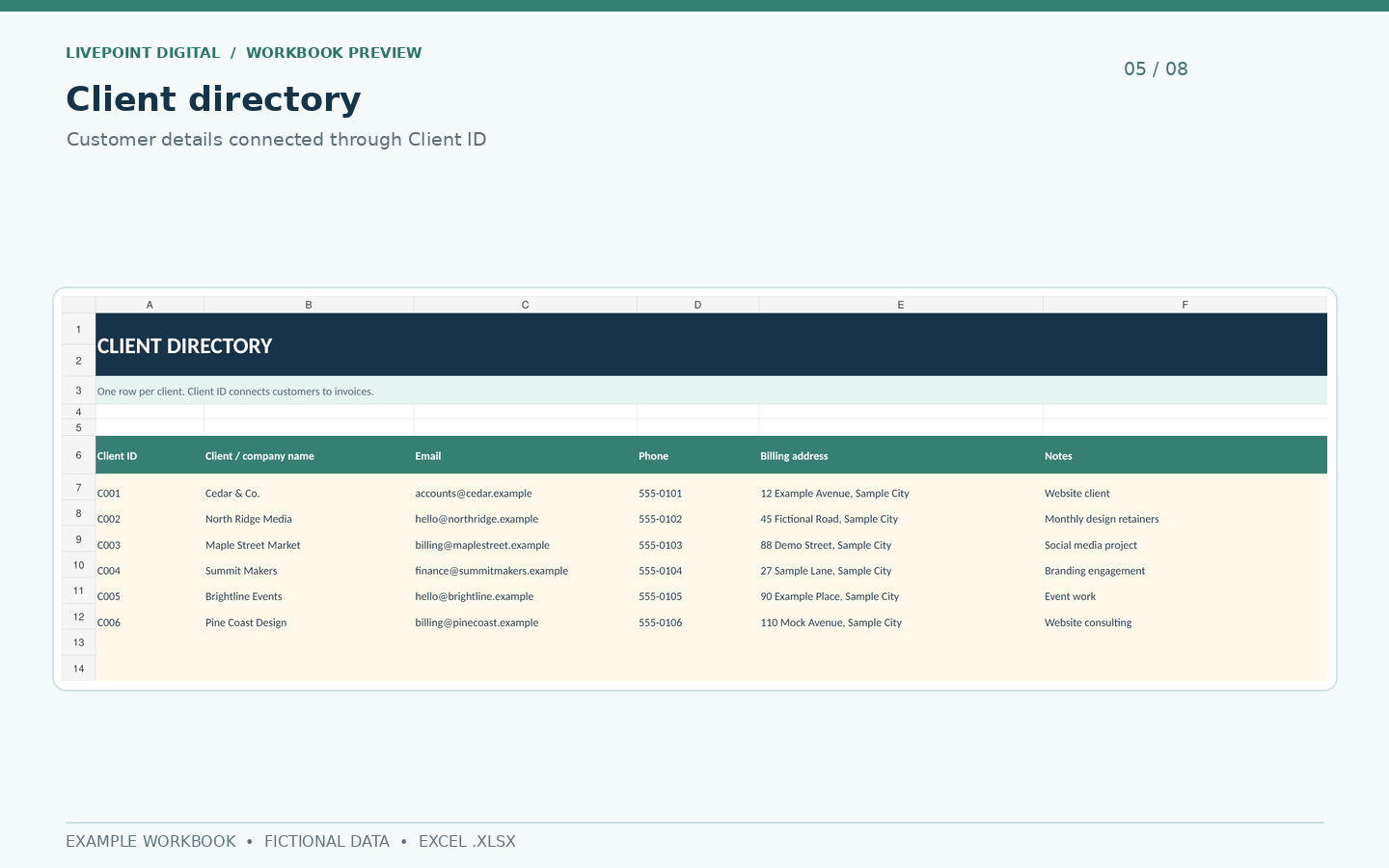
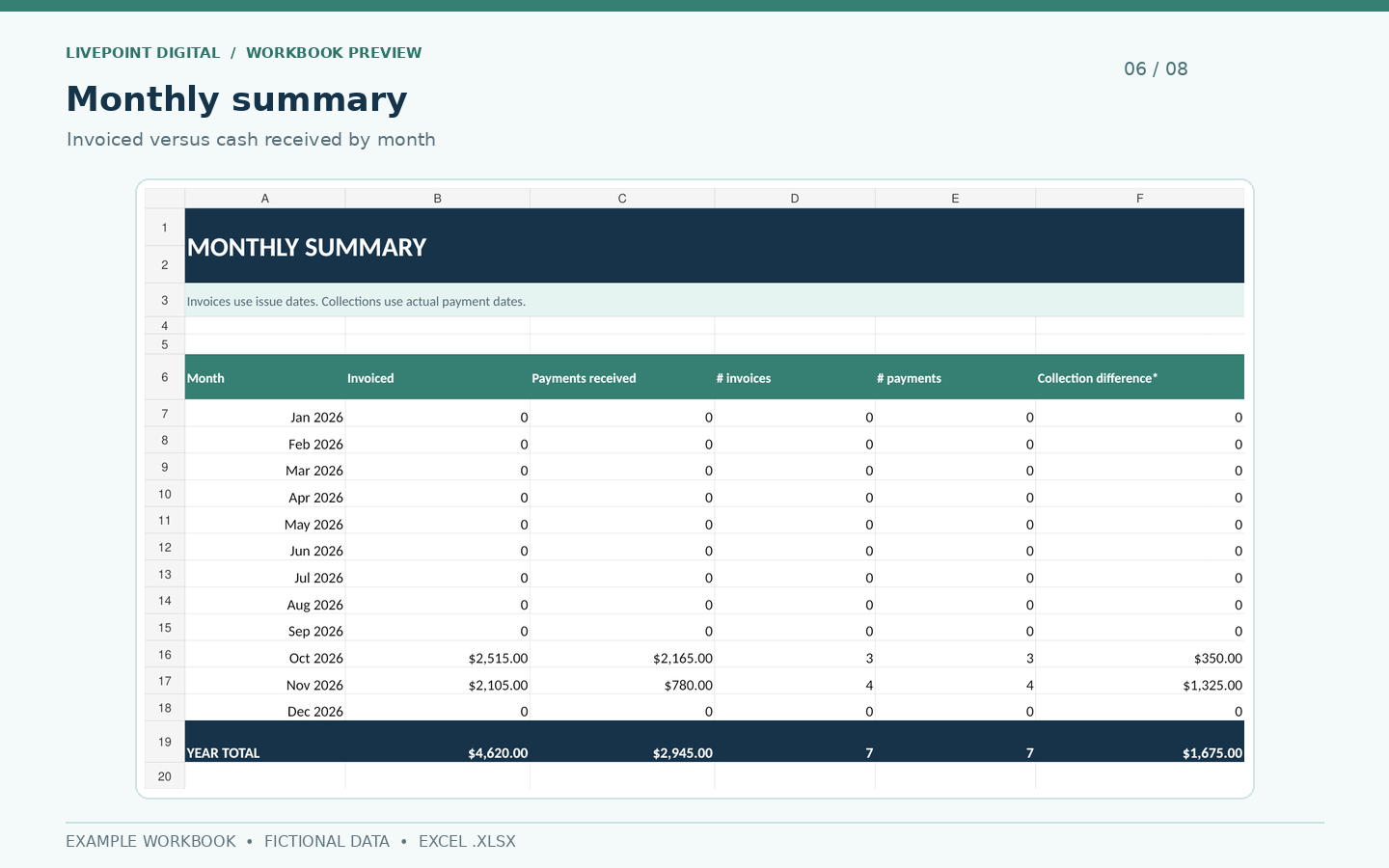
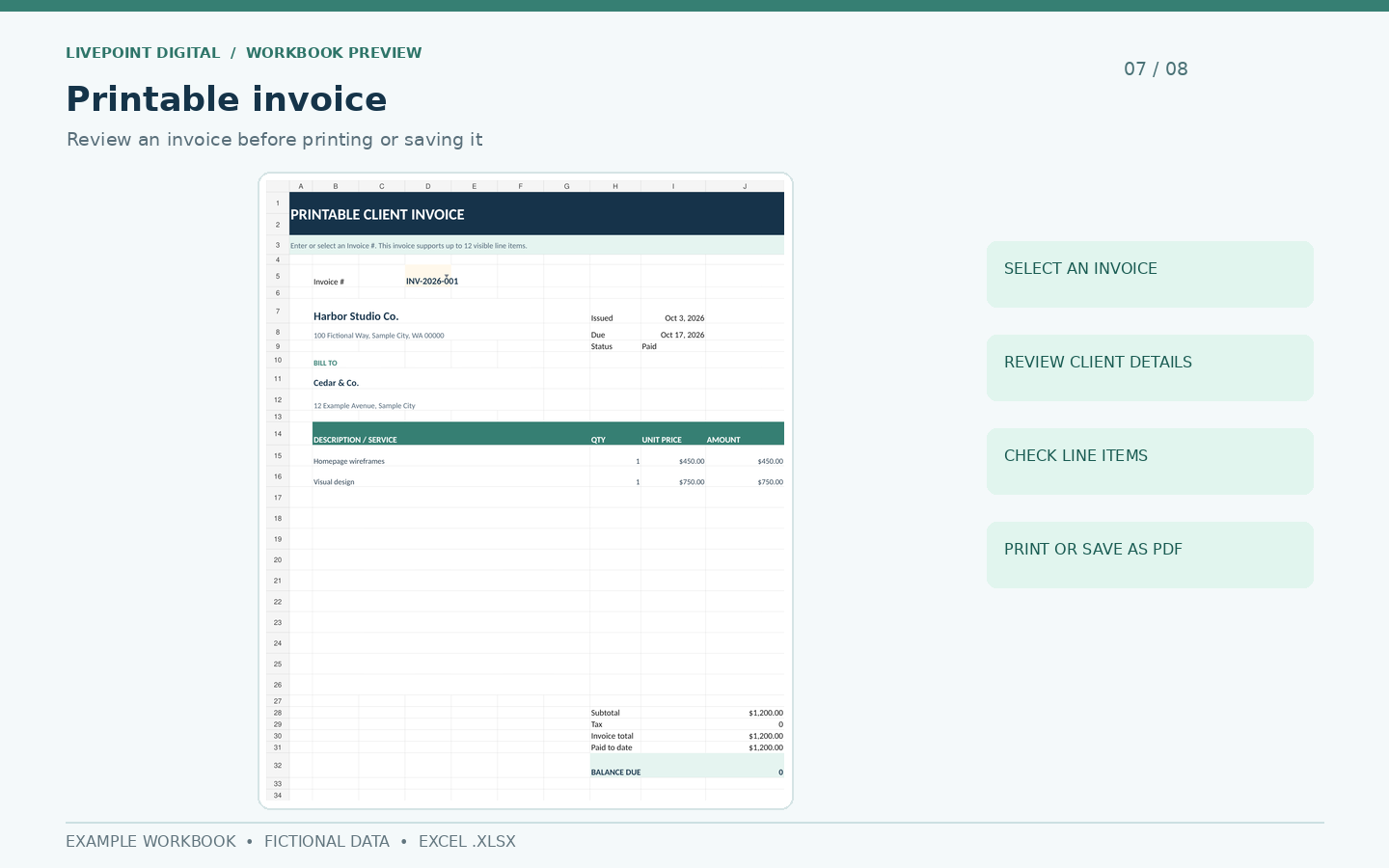
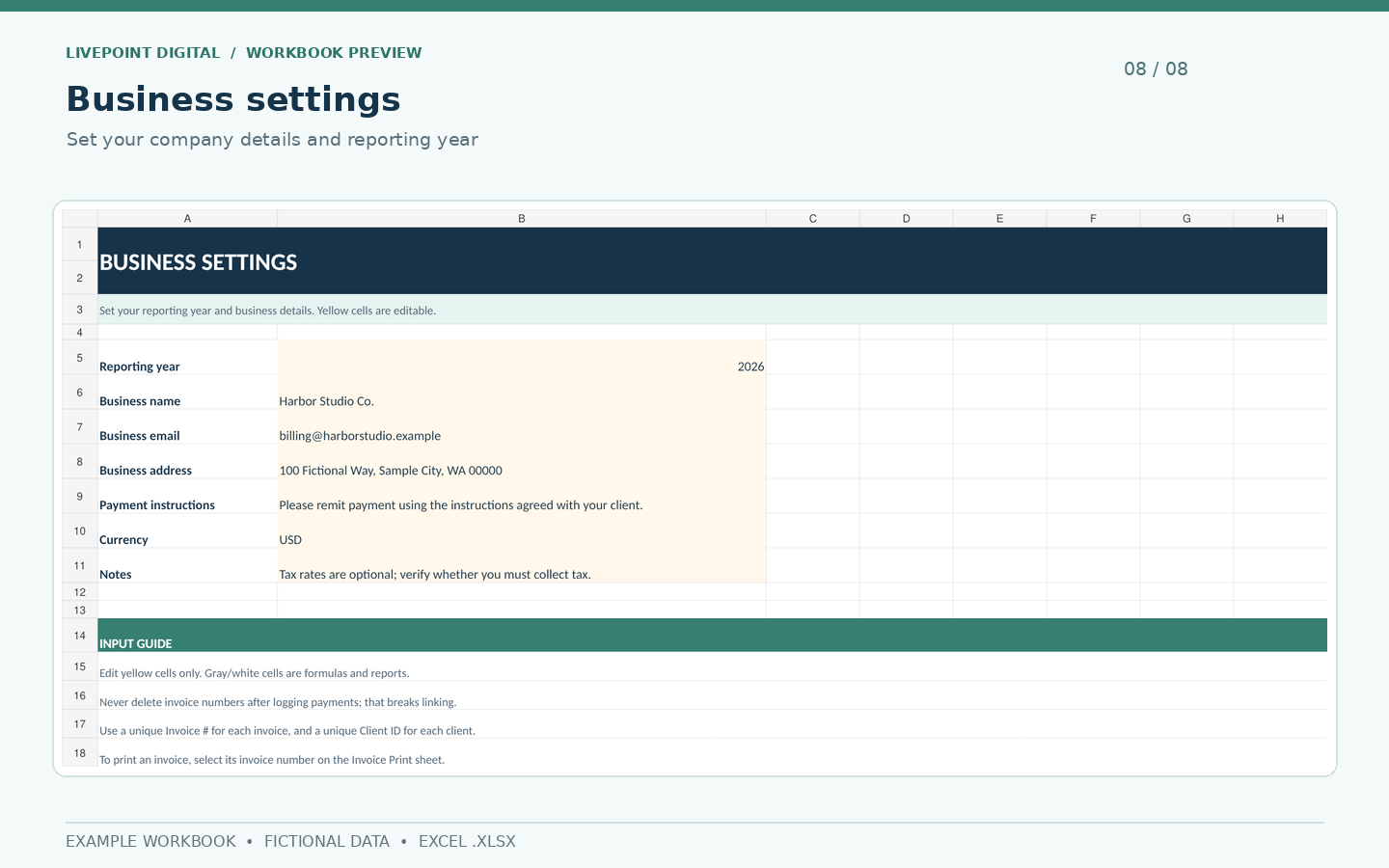
Images show the included fictional example workbook. Framing and labels are added for readability; your Excel interface may differ.
Invoice tracking without the guesswork.
A ready-to-use blank workbook, a separate example, and clear setup instructions.
Designed for everyday client work
Everything you need to stay on top of payments.
Invoice register
Log unique invoice numbers, customers, issued dates, due dates, and notes.
Payment tracking
Record installments and deposits separately, with received totals updated automatically.
Overdue visibility
See outstanding invoices that have passed their due date.
Automatic dashboard
Review invoiced amounts, receipts, open balances, and counts.
Monthly reporting
Compare invoicing activity with payments actually received over the year.
Printable invoice
Choose an invoice to populate a printable sheet with up to 12 visible line items.
Included in your download
The complete package.
- Invoice & Client Payment Tracker — blank Excel workbook ready for your records
- Separate Excel example workbook filled with fictional client and payment data
- PDF quick-start guide
- README with setup notes and important limitations
Capacity: up to 200 invoices, 500 line items, 400 payments, and 100 clients. The printable invoice sheet displays up to 12 lines and warns when an invoice has more.
Get started in minutes
Three simple steps.
Open the blank workbook, set business details, and add clients.
Enter invoice numbers, line items, and payments.
Check the dashboard, balances, and printable invoice.
Can I record partial payments?
Yes. Record each payment on the Payments sheet using the matching invoice number; the invoice balance updates automatically.
Does the workbook send invoices or collect payments automatically?
No. This is a manual Excel recordkeeping template, not an online invoicing, payment-processing, or email service.
Can I print an invoice?
The Invoice Print sheet is designed for printing or saving as PDF. Review its contents and page setup in Excel before sending; it shows up to 12 line items.
Do I need to use both Excel files?
No. Use the blank workbook for your own records. The separate example demonstrates how the formulas and reporting work.
Which spreadsheet applications are supported?
Designed for Microsoft Excel (.xlsx). Compatibility with other spreadsheet programs has not been verified.
Is this a subscription?
No. This is a one-time digital purchase.
Stay on top of every invoice.
One blank tracker to start with, a fictional example to learn from, and clear instructions.
For invoice organization and recordkeeping, not tax, legal, or accounting advice. Example businesses, customers, and transactions are fictional. No automated payment collection or sending.